Write per-image notes that live next to your files and render as Markdown. Such notes can be to-do lists, memos, contacts of the persons in the image, tips or instructions for collaborators, etc.
The module opens in preview by default; switch to edit to change the source text. The Markdown parsing needs Ansel to be build with CMark , which is optional. If Ansel was not built with this library, it will be rendered as plain text.
Notes are stored as a sidecar text file named <image basename>.txt in the same folder as the image. When a local copy exists, the note follows the local copy. When images are imported, copied, moved or renamed with Ansel, the .txt sidecars are moved along if present. The text files can be opened with any Markdown or plain-text editor.
All duplicates (variants) of an image will share the same sidecar <image basename>.txt file, where you can document the differences between them.
Changes are saved automatically after a short delay and when focus leaves the editor. The content of the sidecar .txt can be used through the
variable $(SIDECAR_TXT) in various places in the software.
Note
Though the sidecar text files are a little-known feature, they have been supported in Darktable since at least 2014 and Ansel has kept supporting them just the same, only extending them.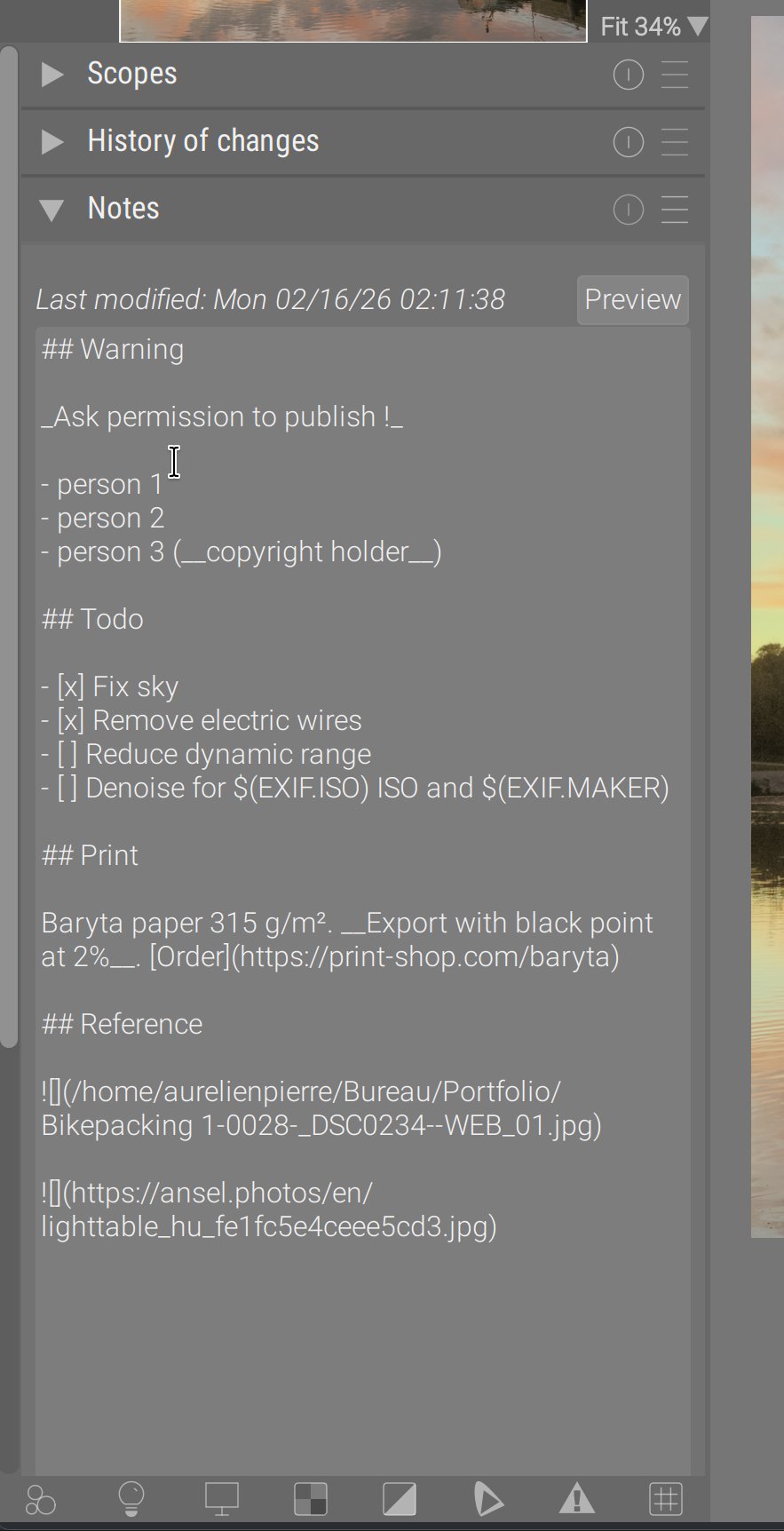
Module controls
- last modified
- Shows the last modification time of the note file (hidden when no note exists).
- edit / preview
- Toggle between editing the Markdown source and viewing the rendered preview.
- text editor
- Multi-line editor with word-wrap and automatic saving.
- presets
- Store and apply text templates. A built-in Default preset provides a checklist and lifecycle line (see below).
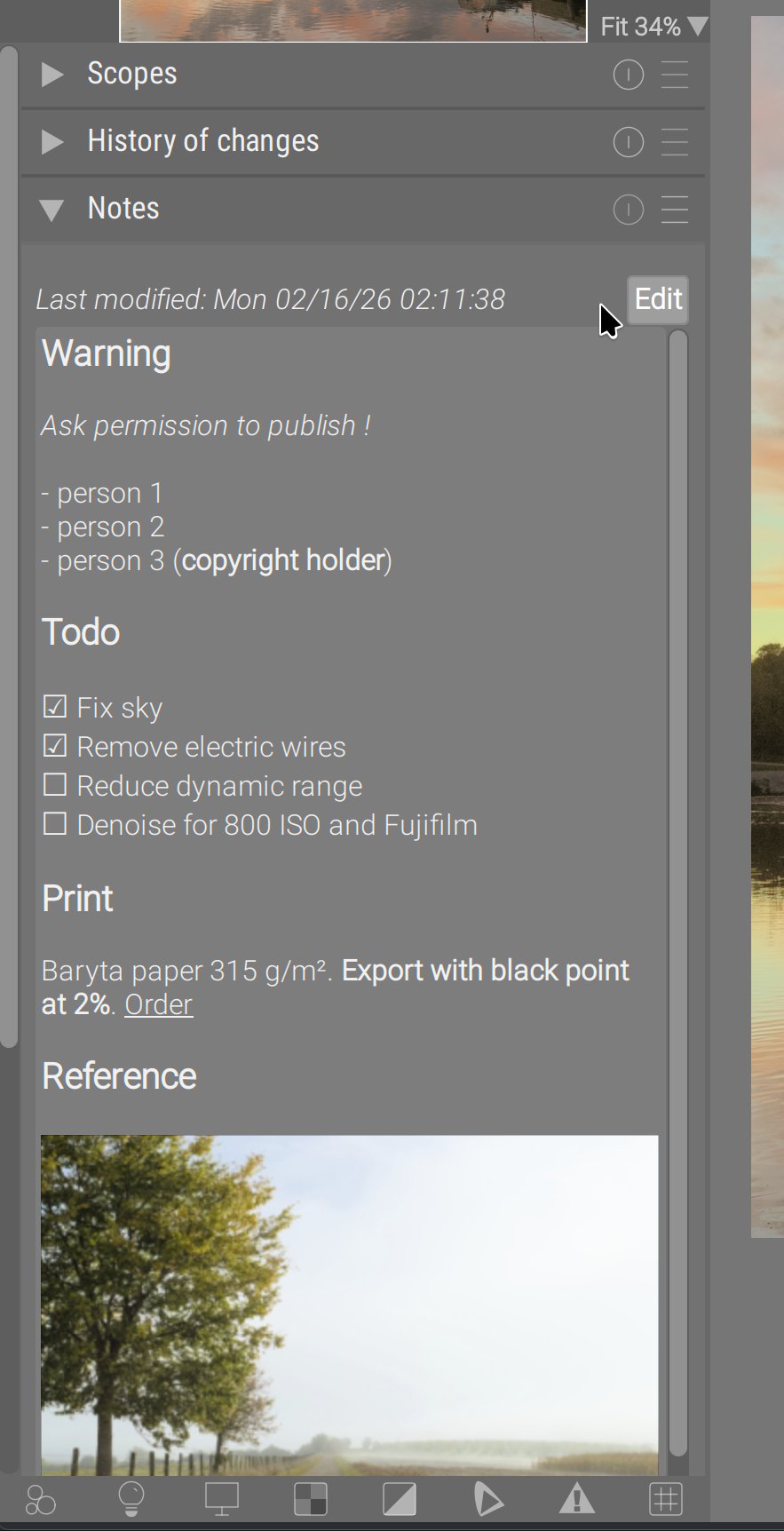
Markdown preview
Supported formatting includes:
- Headings (levels 1–3 are emphasized)
- Emphasis (italic and bold)
- Inline code
- Ordered and unordered lists
- Links (clickable in preview mode)
- Images (local or remote)
- Task lists / checklists
Checklist items can be toggled by clicking their checkbox glyphs in preview mode; the source text is updated accordingly.
Preview spacing matches the edit mode’s blank-line separation between blocks, so switching modes doesn’t shift the layout.
If Ansel is built without CMark, preview falls back to raw text (no Markdown rendering).
Images
Local images referenced with ![]() are rendered inline.
Remote HTTP/HTTPS images are downloaded and cached under ~/.cache/ansel/downloads. If an image is not yet cached, it appears as soon as the download completes.
Images are color-corrected using the active display profile.
Variables and auto-completion
Type $( in edit mode to trigger
variable auto-completion (the same variables used in path templates).
In preview mode, variables are expanded, for example:
1Shot on $(EXIF.YEAR)-$(EXIF.MONTH)-$(EXIF.DAY) $(EXIF.HOUR):$(EXIF.MINUTE)Example preset (Default)
 1## Todo
 2
 3- [ ] Normalize illuminant & colors
 4- [ ] Normalize contrast & dynamic range
 5- [ ] Fix lens distortion and noise
 6- [ ] Enhance colors
 7
 8## Resources
 9
10- [Documentation](https://ansel.photos/en/doc)
11
12## Lifecycle
13
14Shot on $(EXIF.YEAR)-$(EXIF.MONTH)-$(EXIF.DAY) $(EXIF.HOUR):$(EXIF.MINUTE)